Best Features to Look for in a Professional Logo Maker
9 min read
Choosing a professional logo maker is an important business decision, not just a design preference. A logo often becomes the most recognizable visual element of a company, appearing on websites, packaging, social media profiles, proposals, invoices, signage, and advertisements. The right logo maker should help you create a mark that is attractive, practical, legally usable, and suitable for long-term brand growth.
TLDR: A professional logo maker should offer high-quality design templates, strong customization tools, and export options suitable for both digital and print use. Look for features such as vector files, brand kits, typography controls, color flexibility, usability, and clear licensing terms. The best tools balance ease of use with professional creative control, helping businesses produce logos that look credible and can scale with the brand.
1. A High-Quality Template Library
A reliable logo maker should begin with a strong foundation: well-designed templates. Templates are especially valuable for business owners, marketers, and founders who may not have professional design experience but still need a polished result.
However, not all templates are equal. A professional logo maker should offer templates that are modern, balanced, and suitable for real commercial use. Avoid platforms that rely heavily on generic icons, outdated fonts, or layouts that look overly decorative. A good template library should include options for different industries, such as technology, health, finance, fashion, education, hospitality, consulting, and retail.
The best templates should also be flexible. They should serve as a starting point rather than a fixed design. Users should be able to adjust layouts, colors, typefaces, spacing, and icons without breaking the overall structure of the logo.

2. Advanced Customization Options
Customization is one of the clearest signs of a professional logo maker. A basic tool may let you change a company name and color, but a serious platform should allow deeper control over the design.
Look for customization features such as:
- Font selection and pairing for choosing typography that matches the brand personality.
- Color palette editing to create distinctive and consistent brand colors.
- Icon resizing and positioning to improve balance and visual clarity.
- Spacing and alignment controls to make the logo look precise and professional.
- Layout variations for horizontal, vertical, stacked, and icon-only versions.
These controls matter because a logo must feel intentional. Even small adjustments to letter spacing, icon placement, and proportions can make the difference between an amateur design and one that looks professionally produced.
3. Vector File Downloads
One of the most important features to look for is the ability to download the logo in vector format. Common vector file types include SVG, EPS, and PDF. Unlike raster image files, such as JPG or PNG, vector files can be scaled to any size without losing quality.
This is essential if you plan to use your logo on business cards, signs, packaging, uniforms, vehicle wraps, trade show banners, or large-format advertisements. A logo that looks sharp on a website may become blurry or pixelated when enlarged if it is not available as a vector file.
A professional logo maker should therefore provide both digital-friendly files and print-ready files. If a tool only offers low-resolution PNG or JPG downloads, it may not be suitable for serious business use.
4. Transparent Background Options
A professional logo needs to work across many backgrounds. Transparent PNG files are especially useful because they allow the logo to be placed cleanly over websites, presentations, images, product mockups, and social media graphics.
Without a transparent background, the logo may appear inside a white box or colored rectangle, which can make materials look unpolished. This is particularly problematic when placing a logo on colored backgrounds, photographs, or dark website headers.
When evaluating a logo maker, confirm that it allows you to download versions with transparent backgrounds. Ideally, it should also offer light and dark variations so the logo remains legible in different environments.
5. Strong Typography Controls
Typography plays a major role in logo quality. The font you choose can communicate professionalism, creativity, stability, luxury, innovation, friendliness, or authority. A professional logo maker should provide a strong selection of fonts and make it easy to refine the text.
Useful typography features include:
- Letter spacing controls to improve readability and visual balance.
- Font weight options such as light, regular, medium, bold, or black.
- Uppercase and lowercase styling for different brand personalities.
- Multiple text lines for slogans, descriptors, or location names.
- Font pairing suggestions to combine primary and secondary typefaces effectively.
Typography should never feel like an afterthought. A clean, well-spaced wordmark can be more powerful than an overly complicated icon. For many businesses, the text treatment is the logo’s most important element.
6. Professional Color Tools
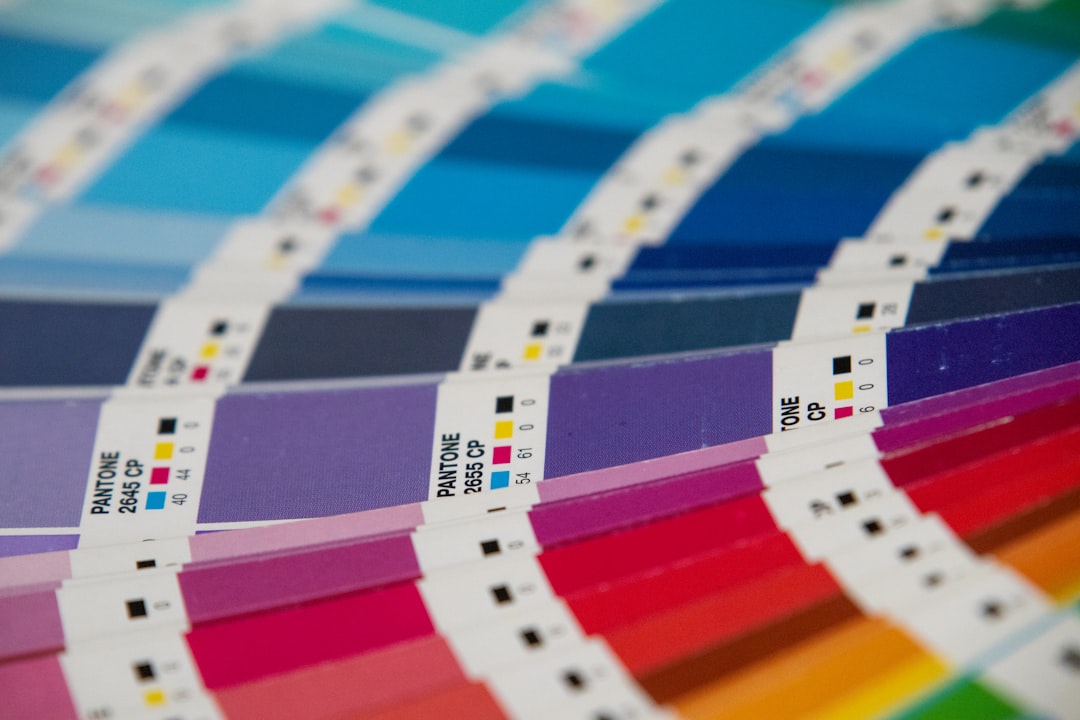
Color affects recognition, mood, and brand perception. A dependable logo maker should allow users to choose precise colors rather than forcing them into limited preset combinations.
Look for tools that support custom color selection, HEX codes, saved palettes, and suggested color combinations. This is especially important if your business already has brand colors or if you need consistency across a website, packaging, and marketing materials.
A professional logo maker should also help users avoid poor color choices. For example, it may recommend high-contrast combinations for readability or provide preset palettes that follow established design principles. Logos should work in full color, but they should also remain recognizable in black, white, or grayscale.
7. Brand Kit Creation
A logo is only one part of a broader visual identity. Many professional logo makers now include brand kit features, which help users create a consistent look across different materials.
A useful brand kit may include:
- Primary and secondary logo versions
- Brand color palettes
- Font recommendations
- Social media profile images
- Email signature graphics
- Business card layouts
- Letterhead or presentation templates
These assets save time and help ensure that the business appears consistent wherever customers encounter it. Consistency is a key part of building trust. If your website, invoice, social media page, and printed materials all use different styles, the brand may appear less established.
8. Multiple Logo Variations
A single logo file is rarely enough. Professional brands usually rely on several variations of the same identity. A good logo maker should allow you to generate and download multiple versions for different contexts.
Important variations include:
- Full logo: The complete version with icon, business name, and slogan if needed.
- Icon-only mark: Useful for favicons, app icons, and social media profile images.
- Horizontal layout: Ideal for website headers and email signatures.
- Stacked layout: Useful for packaging, posters, and square spaces.
- Monochrome version: Required for engraving, stamping, embroidery, and certain print uses.
Having these options from the beginning prevents future problems. A logo that only works in one layout may be difficult to use across all brand touchpoints.
9. Ease of Use Without Compromising Quality
A professional logo maker should be easy to use, but simplicity should not come at the cost of quality. The interface should be clear, stable, and intuitive. Users should be able to make changes quickly, preview results, undo mistakes, and compare alternatives.
At the same time, the tool should not oversimplify the process so much that every logo looks the same. The best platforms provide guided design assistance while still allowing meaningful creative decisions. This balance is particularly useful for small businesses and startups that need efficient results but cannot afford careless branding.
Look for features such as live previews, drag-and-drop editing, alignment guides, smart spacing, and saved design drafts. These practical tools can significantly improve both the experience and the final outcome.
10. Industry-Relevant Design Guidance
Different industries have different visual expectations. A law firm usually needs a different logo style than a children’s toy company. A financial consultancy may require a more conservative and stable appearance, while a fitness brand might benefit from bold shapes and energetic colors.
A strong logo maker should offer industry-relevant recommendations. This could include suitable icons, fonts, color palettes, layouts, and style directions based on your business category. These recommendations should not limit creativity, but they can help users make better design decisions.
Professional design guidance is especially useful for avoiding mismatches. For example, a playful handwritten font may look appealing, but it may not communicate credibility for a medical, legal, or accounting business.
11. Clear Licensing and Ownership Terms
Trustworthy logo creation requires more than attractive design. You must understand what rights you receive after creating and downloading your logo. A professional logo maker should provide clear information about commercial usage rights, ownership, and any restrictions.
Before committing to a tool, review the licensing terms carefully. Important questions include:
- Can you use the logo for commercial purposes?
- Are there restrictions on printing, advertising, or merchandise?
- Can the same icon or template be used by other businesses?
- Are editable or vector files included?
- Do you receive documentation of your usage rights?
This is a serious consideration. A logo is a business asset, and unclear licensing can create legal or branding complications later. If your brand will operate at scale, it may also be wise to consult a legal professional regarding trademark availability.
12. Preview and Mockup Features
Seeing a logo in isolation is helpful, but seeing it in real-world situations is even better. Professional logo makers often include preview or mockup features that show how the logo might appear on business cards, websites, packaging, storefronts, apparel, or social media pages.
Mockups help you evaluate whether the design is practical. A logo may look impressive on a blank screen but become unreadable when reduced to a small size. It may also appear too thin for embroidery, too detailed for signage, or poorly balanced on a mobile profile image.
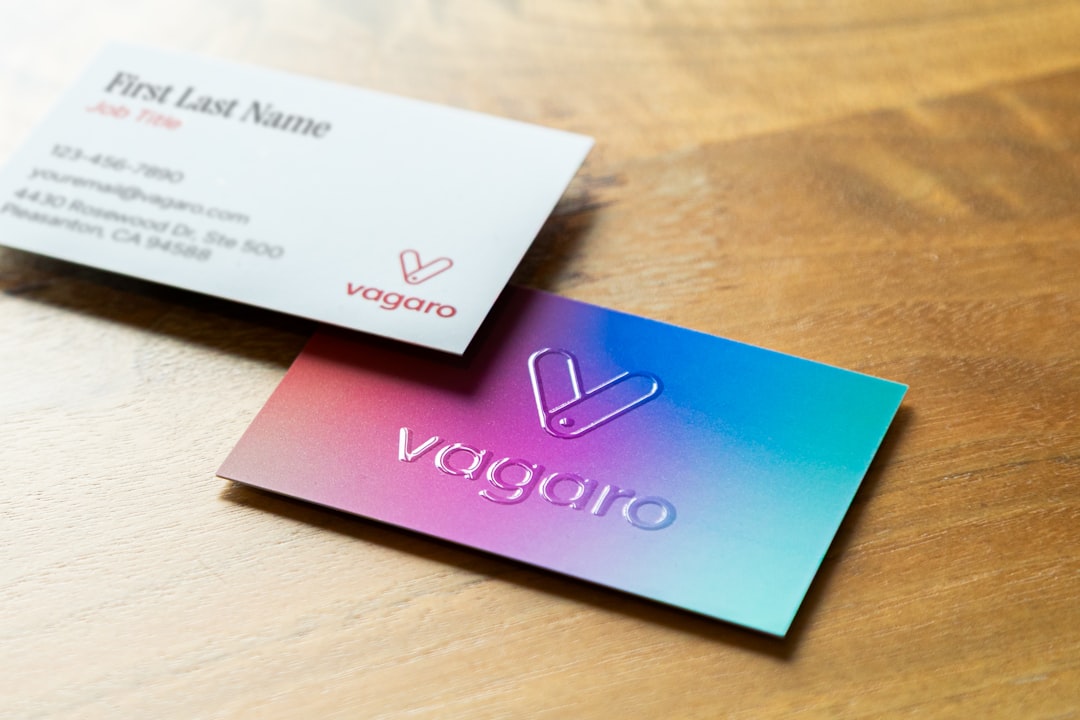
These previews can reveal issues early, before you invest in printing or digital campaigns. They also make it easier to compare different logo options objectively.
13. High-Resolution Print and Digital Files
A logo maker should provide files suitable for both online and offline use. For digital platforms, PNG, JPG, and SVG files are commonly needed. For print, high-resolution PDF, EPS, or other vector formats are often preferred.
Make sure the tool provides files in adequate resolution and correct formats. A professional export package may include versions for websites, social media, stationery, merchandise, and print vendors. This prevents delays when working with printers, developers, sign makers, or marketing teams.
It is also helpful if the logo maker provides organized file naming and separate folders for different uses. This small detail can save time and reduce confusion when sharing assets with others.
14. Reliable Editing and Future Access
Businesses evolve. You may need to update a slogan, adjust colors, create a seasonal variation, or refine the logo after receiving feedback. A professional logo maker should allow you to save your project and return to it later.
Future editing access is valuable because it prevents you from having to recreate the design from scratch. It also supports brand consistency as your company grows. If the platform offers account-based storage, design history, or duplicate versions, those features can be especially useful.
Before choosing a logo maker, check whether edits remain available after purchase and whether additional downloads or revisions require extra fees.
15. Fair Pricing and Professional Value
Price should not be the only factor, but it does matter. A professional logo maker should provide clear pricing and explain exactly what is included. Low-cost tools may be appealing, but they can become expensive if essential features such as vector files, transparent backgrounds, or commercial rights require additional payments.
Evaluate the total value rather than the headline price. A higher-quality package that includes multiple file formats, brand assets, and clear licensing may be more cost-effective than a cheaper option with limited downloads.
The best choice is one that supports your business needs now and remains useful as your brand grows.
Final Thoughts
A professional logo maker should help you create more than a decorative graphic. It should support a serious branding process by offering quality templates, precise customization, vector files, transparent backgrounds, typography controls, color tools, brand kits, mockups, and clear licensing.
When evaluating your options, focus on long-term usability. Your logo should look credible on a website, sharp in print, readable at small sizes, and consistent across every customer touchpoint. A trustworthy logo maker gives you the tools and file formats needed to build a brand identity with confidence.