Heatmap Recording Software Like Crazy Egg That Helps Improve User Experience
5 min read
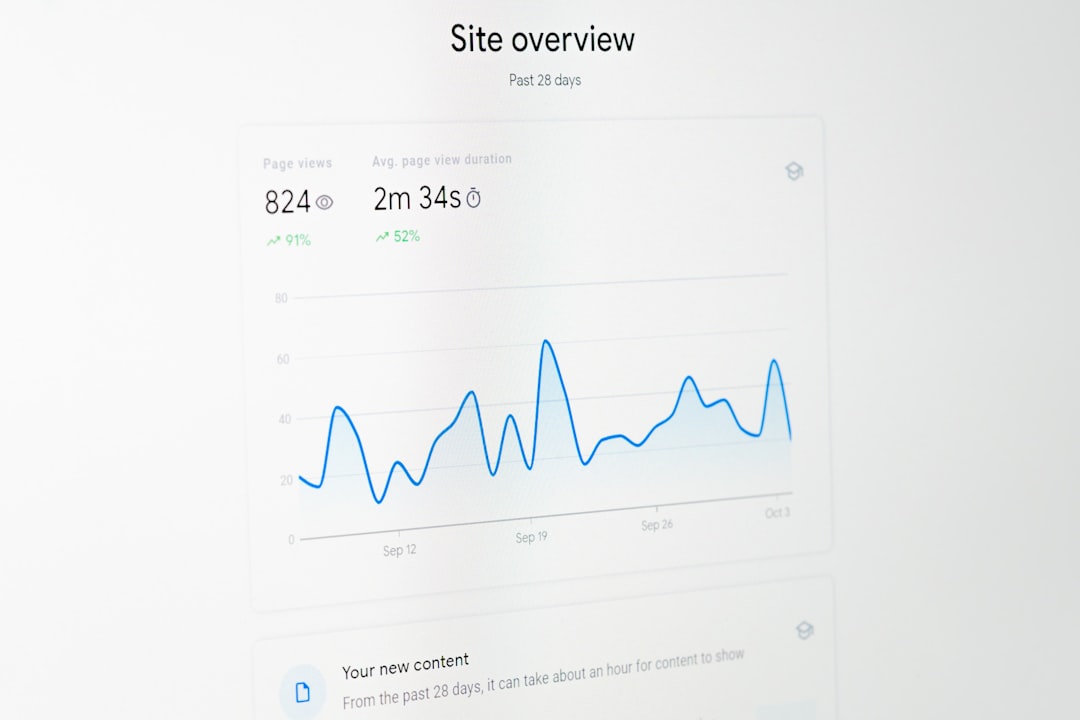
Understanding how visitors interact with your website is no longer a luxury—it is a necessity. In an increasingly competitive digital landscape, businesses must go beyond traditional analytics and dig deeper into user behavior. This is where heatmap recording software like Crazy Egg comes into play. By visually representing clicks, scrolls, taps, and mouse movements, these tools turn raw data into actionable insights that can dramatically improve user experience and conversion rates.
TLDR: Heatmap recording software like Crazy Egg helps businesses understand exactly how users interact with their websites. By visualizing clicks, scrolling behavior, and user movement, companies can identify friction points and optimize layouts for better conversions. These tools provide actionable data that traditional analytics miss. The result is a smoother, more intuitive user experience that drives measurable growth.
What Is Heatmap Recording Software?
Heatmap recording software visually represents user activity on a webpage using color-coded overlays. Warmer colors like red and orange indicate areas with high interaction, while cooler colors such as blue and green show low engagement zones. Unlike standard analytics dashboards filled with numbers and charts, heatmaps provide an immediate visual summary that makes it easy to spot trends.
Most advanced tools go beyond simple click tracking and offer:
- Click heatmaps to show where users are clicking
- Scroll heatmaps to reveal how far visitors scroll
- Move heatmaps to track mouse movement patterns
- Session recordings to replay anonymous user journeys
- Conversion funnel analysis to identify drop-off points
Why Heatmaps Matter for User Experience
User experience (UX) determines whether visitors stay, explore, and convert—or bounce and leave. Heatmap software helps teams pinpoint exactly what works and what doesn’t on a page. Rather than guessing why conversion rates are low, businesses can see how users behave.
For example, a company might assume that visitors are clicking a call-to-action (CTA) button, but a heatmap might reveal that users are clicking an image instead because it appears interactive. This kind of insight prevents costly design mistakes.
Key UX benefits include:
- Identifying confusing navigation elements
- Detecting “dead zones” where users ignore content
- Optimizing button placement and calls to action
- Improving mobile usability
- Reducing bounce rates
How Crazy Egg Leads the Way
Crazy Egg is one of the pioneers in heatmap tracking. Designed with marketers, UX designers, and product teams in mind, it combines visual analytics with practical experimentation features.
Some standout features include:
- Snapshot reports that display multiple types of heatmaps
- A/B testing tools for comparing design changes
- Scroll maps to optimize page length
- Confetti reports that break down clicks by traffic source
The platform makes it easy to interpret data without needing a background in data science. This accessibility has made it popular among startups and enterprise businesses alike.
Other Popular Heatmap Tools
While Crazy Egg is well-known, several other tools offer strong capabilities. Each has unique strengths depending on your goals and budget.
- Hotjar – Combines heatmaps with surveys and feedback polls.
- Mouseflow – Offers detailed session replay and form analytics.
- Lucky Orange – Includes live chat and real-time visitor tracking.
- Microsoft Clarity – A free solution with unlimited recordings and AI insights.
Heatmap Software Comparison Chart
| Tool | Key Features | Best For | Pricing Level |
|---|---|---|---|
| Crazy Egg | Heatmaps, A/B testing, scroll maps, confetti reports | Marketing teams focused on conversion optimization | Mid-range |
| Hotjar | Heatmaps, session recordings, feedback polls | UX research and user feedback collection | Mid-range |
| Mouseflow | Advanced session replay, form analytics, funnel tracking | Detailed behavioral analytics | Higher-end |
| Lucky Orange | Heatmaps, live chat, visitor tracking | Small businesses and ecommerce stores | Affordable |
| Microsoft Clarity | Unlimited recordings, AI insights, heatmaps | Budget-conscious teams | Free |
Common Use Cases Across Industries
Heatmap tools are not just for ecommerce websites. They are widely used across various industries to refine digital experiences.
1. Ecommerce Optimization
Online retailers use heatmaps to identify which products draw the most attention and which areas of a product page get ignored. For instance, scroll maps can reveal if customers are missing important shipping details hidden too far down the page.
2. SaaS Product Improvement
Software companies rely on session recordings to understand friction in onboarding flows. If users consistently abandon signup forms, heatmaps can show whether form length, field placement, or unclear instructions are causing drop-offs.
3. Content and Media Websites
Publishers often analyze scroll behavior to adjust article length and ad placement. By placing ads in high-engagement zones, they can improve revenue without disrupting user experience.
Heatmaps vs Traditional Analytics
Google Analytics and similar platforms provide valuable metrics such as bounce rate, page views, and time on site. However, they don’t tell you why users behave the way they do.
Heatmap software answers questions like:
- Why are users not clicking my CTA?
- Why does this landing page have a high exit rate?
- Are visitors even seeing the content below the fold?

By combining quantitative metrics with visual behavioral data, businesses gain a holistic picture of performance.
Best Practices for Using Heatmap Software
To get the most value from heatmaps, it is important to use them strategically. Simply installing the tool is not enough.
- Analyze high-traffic pages first to maximize impact.
- Segment by device type to compare desktop and mobile behavior.
- Pair heatmaps with A/B tests to validate changes.
- Review session recordings weekly to uncover subtle friction points.
- Use insights for iterative design improvements instead of one-time fixes.
Additionally, always respect user privacy by anonymizing data and complying with regulations like GDPR and CCPA.
Measuring ROI from Heatmap Optimization
Implementing changes based on heatmap insights often leads to measurable improvements such as:
- Higher conversion rates
- Increased average order value
- Reduced cart abandonment
- Improved form completions
- Enhanced content engagement
For example, repositioning a CTA button based on click map data may increase conversions by several percentage points. Even small improvements can translate to significant revenue growth over time.
The Future of Behavioral Analytics
The next evolution of heatmap software involves artificial intelligence and predictive analytics. AI-powered tools are beginning to automatically detect frustration signals, such as rapid cursor movements or repeated clicks on non-interactive elements.
Future capabilities may include:
- Automated UX audits
- Predictive conversion modeling
- Deeper personalization insights
- Real-time design adjustment recommendations
As online competition intensifies, businesses that leverage behavioral data effectively will maintain a clear advantage.
Final Thoughts
Heatmap recording software like Crazy Egg bridges the gap between data and design. By turning invisible user behaviors into clear, visual insights, these tools empower teams to create intuitive, high-performing digital experiences. Whether you run an ecommerce store, manage a SaaS platform, or publish online content, understanding how users actually interact with your site is critical.
Instead of relying on assumptions, heatmaps allow you to optimize with confidence. When used strategically and consistently, they become one of the most powerful assets in your UX improvement toolkit.