Best of Reddit & X: 5 DIY and Self‑Hosted VPN Tools Worth Exploring
6 min read
Scroll through Reddit or X for a few minutes and you’ll see it. People want more privacy. More control. Fewer monthly bills. And that’s where DIY and self-hosted VPN tools come in. They let you build your own secure tunnel instead of renting one from a big-name provider. It sounds scary. It isn’t. In fact, it can be fun.
TLDR: DIY and self-hosted VPNs give you more control, better privacy, and often lower long-term costs. Tools like WireGuard, OpenVPN, Tailscale, PiVPN, and Algo are popular on Reddit and X for good reasons. They range from ultra-simple to power-user friendly. If you like tinkering—or just want your own private tunnel—these five are worth exploring.
Before we dive in, a quick note. A self-hosted VPN is not magic invisibility. It won’t make you anonymous from the entire internet. What it does do is create a secure connection between your device and a server you control. That could be at home. Or on a cheap cloud server. Think of it as building your own private highway.
1. WireGuard – Fast, Modern, and Reddit’s Favorite
If Reddit had a mascot VPN, it might be WireGuard.
WireGuard is lightweight. It’s fast. And the codebase is small compared to older VPN software. That means fewer bugs and easier audits. Security people like that.
Why people love it:
- Very fast performance
- Simple configuration files
- Modern cryptography built in
- Works on Linux, Windows, macOS, Android, and iOS
WireGuard is not bloated. It doesn’t try to do everything. It focuses on one job: secure tunneling. And it does that job well.
Setup used to scare beginners. Not anymore. Many hosting providers now offer one-click WireGuard installs. You can also install it on a Raspberry Pi at home.
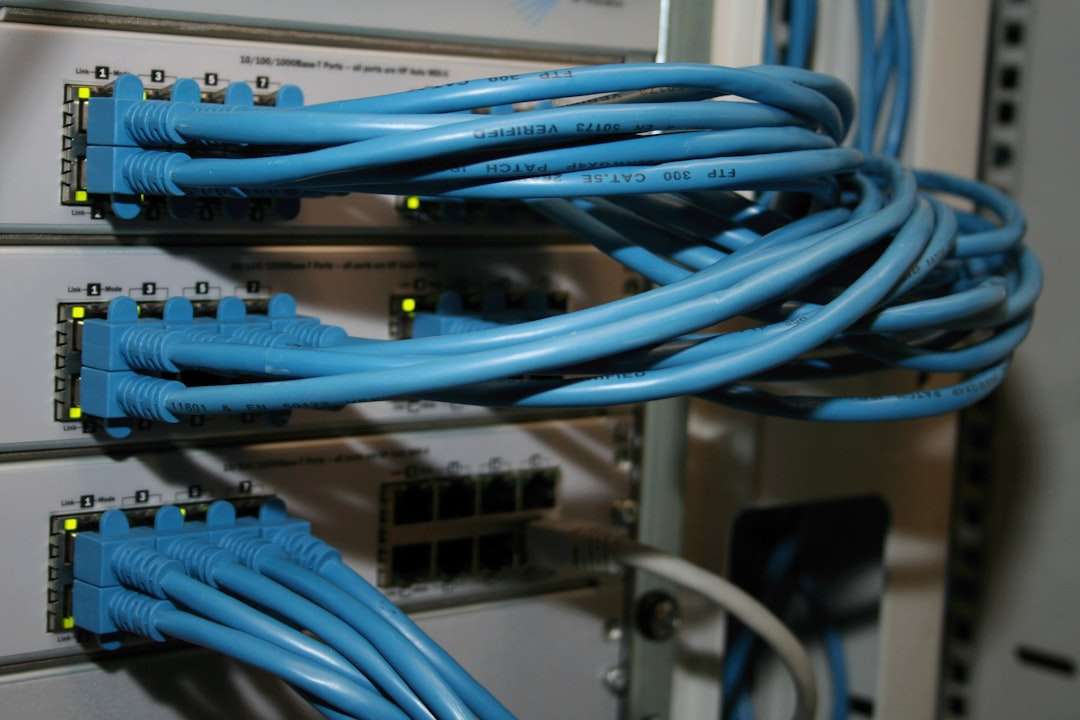
On X, developers often praise WireGuard for its clean design. On Reddit, homelab fans rave about how easy it is to integrate into routers and firewalls.
Best for: People who want speed and simplicity without extra fluff.
2. OpenVPN – The Old Reliable
Before WireGuard was cool, there was OpenVPN.
It has been around for years. That’s not a weakness. It’s a strength. It’s battle-tested. It runs almost everywhere. Many commercial VPN services still use it.
Why people still recommend it:
- Extremely flexible configuration
- Strong encryption options
- Huge community and documentation
- Works with many routers
OpenVPN can be more complex than WireGuard. The configuration files are longer. Certificates are involved. There are more knobs to turn.
But power users like knobs.
Reddit threads often describe OpenVPN as the “Swiss Army knife” of VPNs. If you need custom routing rules or legacy device support, OpenVPN can handle it.
It might not win speed contests against WireGuard. But it wins in flexibility.
Best for: Tinkerers and advanced users who want total control.
3. Tailscale – WireGuard, But Easier
Now let’s talk about the tool that keeps popping up on X tech threads: Tailscale.
Tailscale is built on WireGuard. But it removes most of the setup pain. Instead of manually configuring keys and IP addresses, you log in. Devices connect automatically.
It feels almost magical.
Why it’s trending:
- No manual port forwarding required
- Devices connect behind firewalls
- Super beginner-friendly
- Works across clouds and home networks
Tailscale creates what’s called a “mesh network.” Each of your devices can securely talk to the others. Your laptop. Your phone. Your home server. Even your grandma’s PC, if you set it up.

On Reddit, users often recommend Tailscale for people who say, “I just want remote access to my home server without fighting my router.”
It has a free tier for personal use. That’s another reason it spreads quickly through online communities.
Purists sometimes say it’s not “fully self-hosted” because it uses a coordination server (unless you self-host that too). That’s fair. But for many people, the trade-off is worth it.
Best for: Beginners and busy people who want secure remote access fast.
4. PiVPN – The Raspberry Pi Hero
If you hang out in homelab subreddits, you’ve seen this combo: Raspberry Pi + VPN.
PiVPN makes it happen with minimal stress.
PiVPN is not a VPN protocol itself. It’s a simple installer that helps you set up WireGuard or OpenVPN on a Raspberry Pi.
That’s it. That’s the magic.
Why people love PiVPN:
- Guided installation
- Works great on low-power devices
- Affordable setup
- Perfect for home networks
You can turn a small Raspberry Pi into your personal VPN server. It sits quietly near your router. It sips electricity. And it waits for you to connect when you’re at a coffee shop or hotel.

Reddit users often describe PiVPN as a “weekend project.” Something you set up on Saturday and brag about on Sunday.
It’s also a great learning tool. You get hands-on experience with networking. Firewalls. Port forwarding. Dynamic DNS.
Best for: DIY enthusiasts who like hands-on home projects.
5. Algo VPN – Secure by Default
Algo VPN is a bit different.
It’s designed to deploy a personal VPN server in the cloud. Fast. Clean. Minimal.
You run a script. It creates a VPN server for you on providers like DigitalOcean or other supported clouds. When you’re done, you can even destroy it.
Why security folks recommend it:
- Strong default security settings
- No unnecessary features
- Designed for personal use
- Uses modern protocols like WireGuard and IPsec
Algo avoids feature creep. It doesn’t try to be a corporate gateway solution. It’s built for individuals.
On X, cybersecurity professionals often mention Algo as a solid option for journalists, travelers, and remote workers who want something hardened but simple.
You do need basic command line comfort. This is not a tap-and-go app. But it’s not overly complex either.
Best for: Privacy-focused users who want a secure cloud-based setup.
Why DIY VPNs Are So Popular Right Now
There are three big reasons.
1. Control
You decide where your data goes. Not a random company.
2. Cost
A small cloud server can cost just a few dollars per month. A Raspberry Pi costs even less over time.
3. Learning
You understand your network better. That confidence is powerful.
Social media amplifies this. Someone posts their setup. Others copy it. Improvements get shared. Guides get refined. The barrier drops lower and lower.
Important Reality Check
A self-hosted VPN does not make you anonymous from websites. If you host it at home, your traffic still exits through your home ISP.
What it does protect you from:
- Public Wi-Fi snooping
- Unsecured network eavesdropping
- Exposed services on your home network
It’s about secure access. Not disappearing.
Which One Should You Try?
- Want maximum speed and modern design? Try WireGuard.
- Need advanced customization? Go with OpenVPN.
- Hate networking headaches? Tailscale is your friend.
- Love weekend hardware projects? PiVPN is perfect.
- Want a clean cloud deployment? Use Algo.
You can’t really go wrong. Most of these tools are free. The main investment is your time.
Final Thoughts
DIY and self-hosted VPNs are no longer niche. They are mainstream in tech circles. Reddit threads are filled with guides. X posts break down quick tips. Communities are active and helpful.
The best part? You don’t need to be a network engineer.
Start small. Maybe with Tailscale or PiVPN. Learn the basics. Then explore deeper tools like WireGuard or Algo.
There’s something satisfying about running your own secure tunnel. It feels independent. It feels capable. And in a world where privacy feels rare, that feeling matters.
So pick a tool. Spin up a server. And join the growing crowd of people building their own corner of the internet.