How to Log In to Peloton: A Complete Guide
5 min read
Whether you’re new to Peloton or returning after some time away, understanding how to log in correctly is essential to enjoying all the platform has to offer. From immersive cycling classes to guided meditation sessions and strength training workouts, Peloton brings your fitness experience right into your home. In this guide, we’ll walk you through everything you need to know to log in to Peloton across various devices—whether you’re using a Bike, Tread, app, or the website.
TL;DR (Too Long; Didn’t Read)
Logging in to Peloton involves using the same account credentials across all platforms, whether on the Bike, Tread, web, or app. The process is easy if you already have an account, but if you’re new, you’ll need to sign up first. Always ensure your device has a stable internet connection before attempting to log in. For multiple users in the same household, profile switching is available for shared access to Peloton services.
Why Your Peloton Login Matters
Your Peloton login isn’t just about accessing your workouts—it’s your gateway to your entire fitness journey, including:
- Personalized Metrics like cadence, resistance, and heart rate
- Workout History to track your progress over time
- Leaderboard Access to compete with friends and others in real-time
- Seamless Syncing across all your devices
If you’re planning to use multiple devices—like the Peloton Bike at home, the app on your phone during travel, and the website for checking stats—your login keeps everything connected.
How to Log In on Different Devices
Peloton offers flexibility in where and how you access the platform. Here’s how to log in on each type of device:
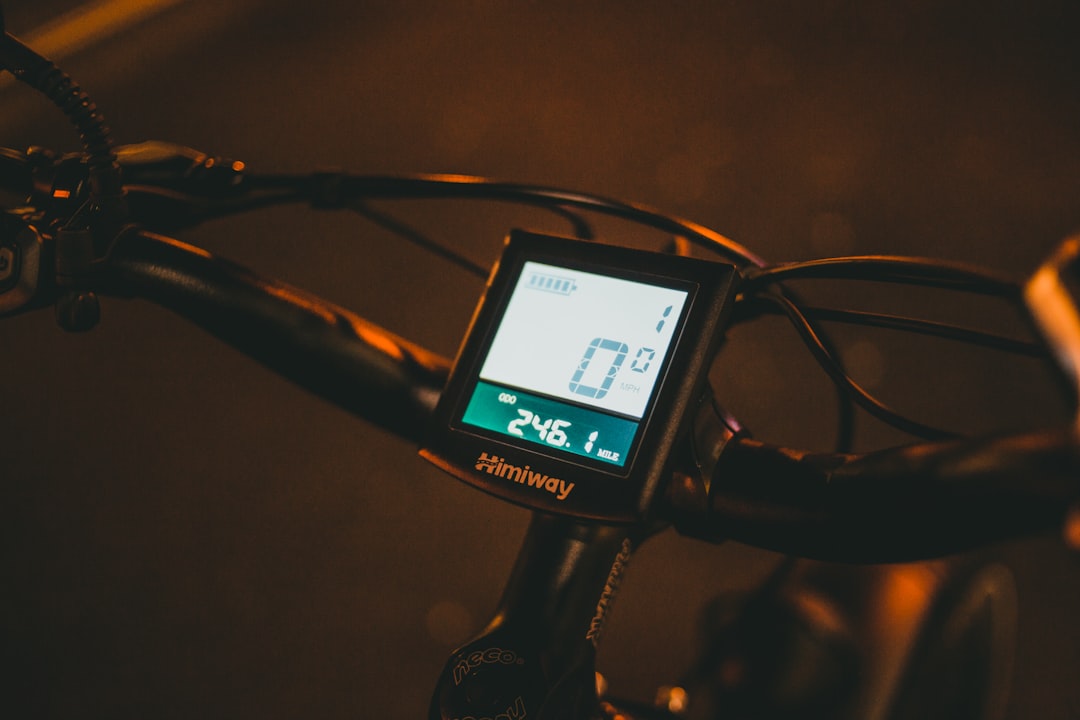
1. Logging In on the Peloton Bike or Tread
- Power on your Bike or Tread by pressing the power button.
- Ensure the device is connected to Wi-Fi.
- Tap “Log In” on the welcome screen.
- Enter your email address and password associated with your Peloton account.
- Tap “Log In”.
- Select your user profile if there are multiple users in your household.
Once logged in, you’ll be taken to the home screen where you can view classes, your stats, and more.
2. Logging In via the Peloton App (iOS and Android)
The Peloton app is perfect for exercising on the go with yoga, strength training, running, and more. Here’s how to log in:
- Download the Peloton app from the App Store or Google Play Store.
- Open the app and tap “Log In”.
- Enter your account credentials (email and password).
- Tap “Log In”.
If you are new to Peloton, there’s also an option to start a free trial right from the app. Just tap “Get Started” and follow the prompts to sign up.
3. Logging In from a Web Browser
To log in from a desktop or laptop browser:
- Go to https://members.onepeloton.com.
- Click the “Log In” button at the top-right corner of the page.
- Enter your login credentials.
- Click “Log In”.
From the web interface, you can check your workout history, explore class selections, and manage your account settings.
Can’t Log In? Troubleshooting Tips
Occasionally, you may run into a hiccup when trying to log in. Here are some common issues and how to resolve them:
Forgot Password
Click or tap “Forgot Password” on the login screen. You’ll receive an email with instructions to reset your password.
Internet Issues
A stable internet connection is required. Make sure Wi-Fi is working properly on your device.
Email Typo
Double-check for typos in your email address or password. Peloton credentials are case-sensitive.
App Not Updating
Ensure your Peloton app is updated to the latest version for seamless login and use.
Creating a New Peloton Account
If you’re brand new to Peloton, you’ll need to create an account before you can log in.
On the Peloton Bike or Tread:
- Tap “Get Started” on the welcome screen.
- Select “Create Account”.
- Provide the required details: name, email, password, and payment info if subscribing.
- Tap “Create Account”.
On the App or Website:
- Open the app or go to www.onepeloton.com.
- Click “Start Free Trial” or “Sign Up”.
- Fill in your information and choose a plan (you won’t be charged during the trial period).
Managing Multiple Profiles
Peloton allows each subscriber to have multiple user profiles under one membership (perfect for families or roommates). Here’s how to manage them:
- On the Bike or Tread, tap on the current user’s name at the top-right corner.
- Select “Switch User”.
- Choose an existing profile or tap “Add User” to invite someone new.
Each profile can have its own stats, preferences, and training programs.
Enabling Two-Factor Authentication
For added security, consider enabling two-factor authentication (2FA) for your Peloton account:
- Go to https://members.onepeloton.com on a web browser.
- Navigate to “My Account” > “Security”.
- Enable Two-Factor Authentication.
- Follow the setup steps, which usually involve linking to your mobile phone.
2FA adds an extra layer of protection by sending a verification code to your mobile device whenever a new login is detected.

Tips for a Smoother Login Experience
Follow these best practices to make your login experiences quick and easy:
- Use a password manager to auto-fill your credentials securely.
- Enable facial or fingerprint recognition on your phone for app logins.
- Stay signed in on trusted devices to avoid repeated logins.
- Bookmark the Peloton login page on your desktop for easy access.
What If You’re Using a Guest Profile?
If you’re visiting someone who has a Peloton Bike or Tread and want to use it:
- Tap on “Add User” on the login screen.
- Select “Log in with Your Peloton Account” or “Create a New Account”.
- Your data will remain tied to your personal profile and will not interfere with theirs.
Conclusion
Logging in to Peloton is a straightforward process, but understanding the nuances across devices can dramatically improve your user experience. Whether you’re squeezing in a quick workout on your phone while traveling or attending a live cycle class from your living room, your login is your ticket into Peloton’s world-class fitness ecosystem. With a few best practices and troubleshooting tips, you should never miss a workout.
Still stuck? Peloton’s support team is just a click away and ready to help ensure nothing stands between you and your goals.
Now that you know how to log in, it’s time to clip in, power on, and press play—it’s your ride!