Best Drag-and-Drop Website Builders for Non-Technical Users
8 min read
Building a professional website no longer requires coding knowledge, server setup, or a dedicated development team. Modern drag-and-drop website builders allow non-technical users to create polished sites by arranging text, images, buttons, forms, and sections visually. For small businesses, freelancers, bloggers, nonprofits, and creators, these platforms offer a practical way to launch quickly while still maintaining creative control.
TLDR: The best drag-and-drop website builders for non-technical users are platforms that combine ease of use, attractive templates, mobile responsiveness, and reliable support. Wix, Squarespace, Weebly, Webflow, Shopify, and GoDaddy Website Builder each suit different needs, from portfolios to online stores. The right choice depends on budget, design flexibility, ecommerce plans, and how much customization a user wants without touching code.
What Makes a Website Builder Good for Non-Technical Users?
A good drag-and-drop website builder should feel intuitive from the first session. Non-technical users often need a platform that removes complicated setup while still producing a site that looks credible. The best tools provide pre-designed templates, editable sections, built-in hosting, mobile-friendly layouts, and simple controls for changing colors, fonts, images, and navigation menus.
Ease of use is important, but it is not the only factor. A website builder should also offer reliable performance, search engine optimization settings, contact forms, analytics, security features, and customer support. For many users, the ideal builder is one that allows a site to start simple and grow over time without requiring a complete rebuild.
1. Wix: Best Overall for Creative Freedom
Wix is one of the most popular drag-and-drop website builders because it gives non-technical users a high level of design freedom. Its editor allows elements to be placed almost anywhere on a page, making it suitable for users who want creative control without learning code.
Wix offers hundreds of templates for industries such as restaurants, consulting, photography, fitness, events, and online services. Users can start with a template and adjust images, text, buttons, and layouts using visual controls. Its app marketplace also adds features such as bookings, live chat, forms, galleries, and ecommerce tools.
Best for: small businesses, personal brands, portfolios, service providers, and users who want design flexibility.
- Pros: highly flexible editor, large template library, many built-in features, beginner-friendly setup.
- Cons: too many design options may feel overwhelming, and template switching after launch can be limited.
Wix is especially useful for users who want a custom-looking website without hiring a designer.
2. Squarespace: Best for Elegant Templates
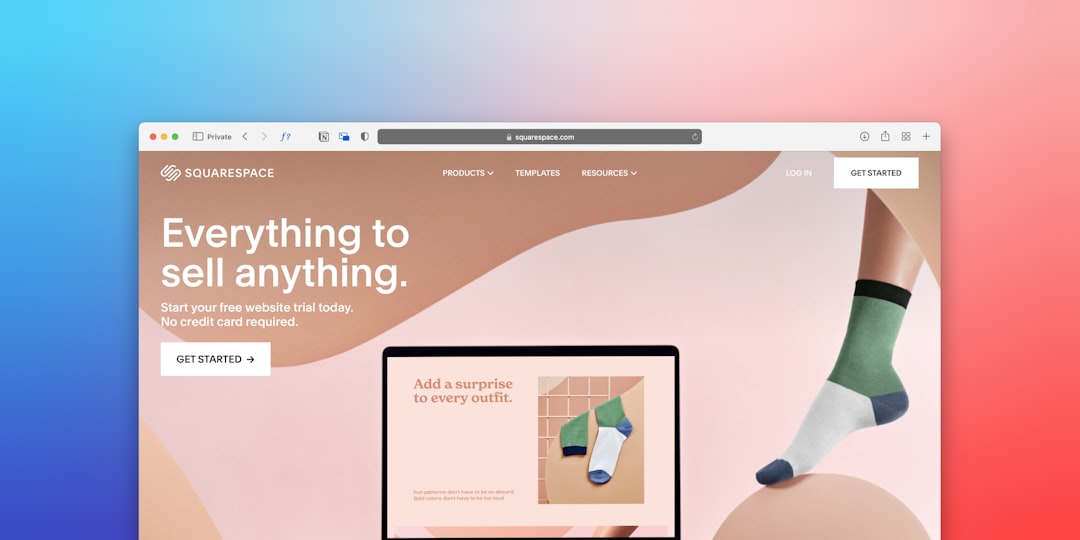
Squarespace is known for its polished, modern templates. It is a strong choice for non-technical users who want a visually refined website with minimal design effort. Its editor is more structured than Wix, which helps keep layouts clean and consistent across pages.
Squarespace is particularly popular among photographers, designers, writers, restaurants, coaches, and boutique businesses. It includes blogging tools, portfolio layouts, appointment scheduling options, ecommerce features, and email marketing integrations. The platform also handles hosting, security, and mobile optimization automatically.
Best for: portfolios, creative professionals, restaurants, bloggers, and brands that prioritize visual presentation.
- Pros: beautiful templates, strong visual consistency, good blogging tools, built-in ecommerce options.
- Cons: less freeform editing than Wix, and some advanced customizations may require more learning.
For users who want a stylish website quickly, Squarespace provides one of the smoothest design experiences.
3. Weebly: Best for Simplicity
Weebly remains a practical option for users who want a simple, straightforward website builder. Its drag-and-drop editor is easy to understand, making it suitable for people who prefer fewer design decisions and a faster setup process.
Weebly includes basic templates, contact forms, galleries, blogs, and ecommerce functionality. Since it is connected with Square, it can also work well for small sellers and local businesses that need simple online payment options. While it may not offer the same design sophistication as Squarespace or the same flexibility as Wix, its simplicity is one of its biggest strengths.
Best for: basic business websites, personal projects, simple online stores, and users who want minimal complexity.
- Pros: very easy to use, simple page editing, affordable options, helpful for basic ecommerce.
- Cons: fewer modern templates, limited advanced design flexibility, and slower innovation than some competitors.
4. Webflow: Best for Design Control Without Traditional Coding
Webflow is more advanced than many beginner website builders, but it deserves attention because it gives users professional-level design control through a visual interface. It is not the simplest option for absolute beginners, yet it is powerful for users who are willing to spend time learning.
Webflow allows detailed control over layout, animations, interactions, responsive design, and content management. It is often used by designers, agencies, startups, and businesses that want a custom website without relying fully on traditional development. While coding is not required for many tasks, an understanding of web design concepts such as spacing, containers, and breakpoints can be helpful.

Best for: designers, growing brands, startups, and users who want more advanced customization.
- Pros: powerful visual design tools, excellent responsive control, professional output, strong CMS features.
- Cons: steeper learning curve, less beginner-friendly than Wix or Weebly, and setup may take longer.
Webflow is best for non-technical users who are comfortable learning design logic and want room to grow.
5. Shopify: Best for Online Stores
Shopify is the leading choice for non-technical users who want to build an ecommerce website. Although it is not only a drag-and-drop builder in the traditional sense, its theme editor and section-based customization tools make it easy to create and manage an online store without coding.
Shopify includes product pages, shopping carts, secure checkout, inventory management, discount codes, shipping settings, payment processing, and integrations with marketplaces and social platforms. Its app store is extensive, allowing store owners to add reviews, subscriptions, loyalty programs, upsells, email marketing, and more.
Best for: ecommerce businesses, product brands, dropshipping stores, and retailers moving online.
- Pros: excellent ecommerce tools, scalable platform, secure checkout, large app ecosystem.
- Cons: monthly costs can rise with apps, and content-heavy websites may feel less flexible than dedicated site builders.
For users whose main goal is selling products, Shopify is often the strongest and most future-proof choice.
6. GoDaddy Website Builder: Best for Fast Setup
GoDaddy Website Builder is designed for speed and convenience. It is a suitable option for non-technical users who need a basic website online quickly, especially for local services, trades, consultants, and small organizations.
The builder offers guided setup, ready-made sections, appointment tools, marketing features, and basic ecommerce options. Its interface is simple, and users can publish a clean website with relatively little effort. While it does not offer the deepest customization, it works well for people who value speed over extensive design control.
Best for: local businesses, service providers, simple websites, and users who want a guided experience.
- Pros: very quick setup, easy interface, marketing tools included, useful for service businesses.
- Cons: limited creative flexibility and fewer advanced design options compared with competitors.
Key Features Non-Technical Users Should Compare
Choosing the best website builder depends on the user’s goals. A photographer may need galleries and visual polish, while a retailer may need inventory management and payment options. Before selecting a platform, non-technical users should compare the following features:
- Ease of editing: The platform should make it simple to add pages, change text, upload images, and adjust layouts.
- Template quality: Good templates reduce design work and help the site look professional from the start.
- Mobile responsiveness: The site should display properly on phones and tablets automatically.
- SEO tools: Users should be able to edit page titles, meta descriptions, URLs, image alt text, and basic search settings.
- Ecommerce features: Stores need secure checkout, product management, shipping tools, and payment integrations.
- Support: Helpful documentation, live chat, email support, or phone support can make a major difference.
- Scalability: The platform should support future growth, such as more pages, more products, or more traffic.

Which Builder Is Best for Different Needs?
There is no single best website builder for every non-technical user. The right platform depends on the purpose of the website, the user’s comfort level, and the expected growth of the project.
- Best all-around option: Wix, because it balances ease of use, flexibility, and features.
- Best for beautiful design: Squarespace, because its templates look polished with minimal editing.
- Best for simplicity: Weebly, because its editor is clear and beginner-friendly.
- Best for advanced visual control: Webflow, because it allows professional-level customization.
- Best for ecommerce: Shopify, because it is built specifically for selling online.
- Best for the fastest launch: GoDaddy Website Builder, because its guided setup is quick and efficient.
Common Mistakes to Avoid
Non-technical users often make the mistake of choosing a builder based only on price. While budget matters, the cheapest option may become limiting if the website needs advanced features later. It is better to compare long-term value, including hosting, support, ecommerce fees, add-ons, and upgrade options.
Another common mistake is overdesigning the homepage. A website should guide visitors clearly, not overwhelm them with too many fonts, colors, animations, or sections. The most effective sites usually have a clear headline, simple navigation, strong calls to action, and consistent branding.
Users should also avoid ignoring mobile design. Since many visitors browse from phones, every page should be checked on mobile before publishing. Images should load quickly, buttons should be easy to tap, and forms should be short enough to complete comfortably.
Final Recommendation
For most non-technical users, Wix is the strongest general choice because it offers creative freedom, templates, apps, and beginner-friendly editing. Squarespace is ideal when visual elegance is the priority, while Shopify is the best fit for serious ecommerce. Weebly and GoDaddy Website Builder work well for simple, fast websites, and Webflow suits users who want more design power and are willing to learn.
The best drag-and-drop website builder is ultimately the one that matches the user’s goals, technical comfort, and growth plans. With the right platform, a non-technical user can create a professional website that supports a business, showcases work, attracts leads, or sells products online.
FAQ
What is a drag-and-drop website builder?
A drag-and-drop website builder is a platform that lets users create web pages visually by moving elements such as text, images, buttons, and forms into place without writing code.
Which website builder is easiest for beginners?
Weebly and GoDaddy Website Builder are among the easiest for beginners, while Wix offers more flexibility with a still-friendly interface.
Which drag-and-drop builder is best for ecommerce?
Shopify is generally the best choice for ecommerce because it includes strong tools for products, payments, shipping, checkout, and store growth.
Can a professional website be made without coding?
Yes. Modern builders such as Wix, Squarespace, Shopify, and Webflow allow non-technical users to create professional websites without coding skills.
Is Wix better than Squarespace?
Wix is better for users who want more layout freedom, while Squarespace is better for users who prefer refined templates and a more structured design experience.
Do drag-and-drop website builders include hosting?
Most major website builders include hosting as part of their plans, so users do not need to manage separate hosting accounts or server settings.
Are drag-and-drop website builders good for SEO?
Many website builders include basic SEO tools, including editable titles, descriptions, URLs, and image alt text. Strong content, fast loading, and good site structure still remain important.